AN-157 min read
Filter Lab
Draw filter moves, play them on the XY pad and place them in the Track Manager’s filter lane.
A filter lets some frequencies through and attenuates others. A low-pass lets the lows through — the sound gets darker, as if coming from the next room. A high-pass lets the highs through — the bass disappears, tension rises. Move the filter over time and you get dramaturgy: that is exactly what the Filter Lab makes easy.
0/6 done
Filters for track moments
| Parameter | Range | What for |
|---|---|---|
| Build-up | high-pass 30 Hz → 900 Hz | Over 8–16 bars, resonance rising — the bass recedes, tension grows |
| Drop | low-pass 300 Hz → open | Tear open on the one — the contrast makes the drop |
| Breakdown | low-pass closes to ~400 Hz | Over 4 bars at the end of the drop: “next room” |
| Intro/outro | low-pass opens/closes | Gentle fade in and out over 16–32 bars |
| Effect | band-pass 1–3 kHz, LFO | Telephone sound, wobble at 1/8 (dubstep) |
- Space
- Play/stop
- V
- A/B: filtered or dry (with loudness matching)
- R
- Record the XY pad (punch-in into the curves)
- Entf
- Delete a curve point
- 1…6
- Preset group: intro, build-up, drop, breakdown, outro, effect
- ←→
- Filter lane: move a filter move
- Enter
- Filter lane: open in the Filter Lab
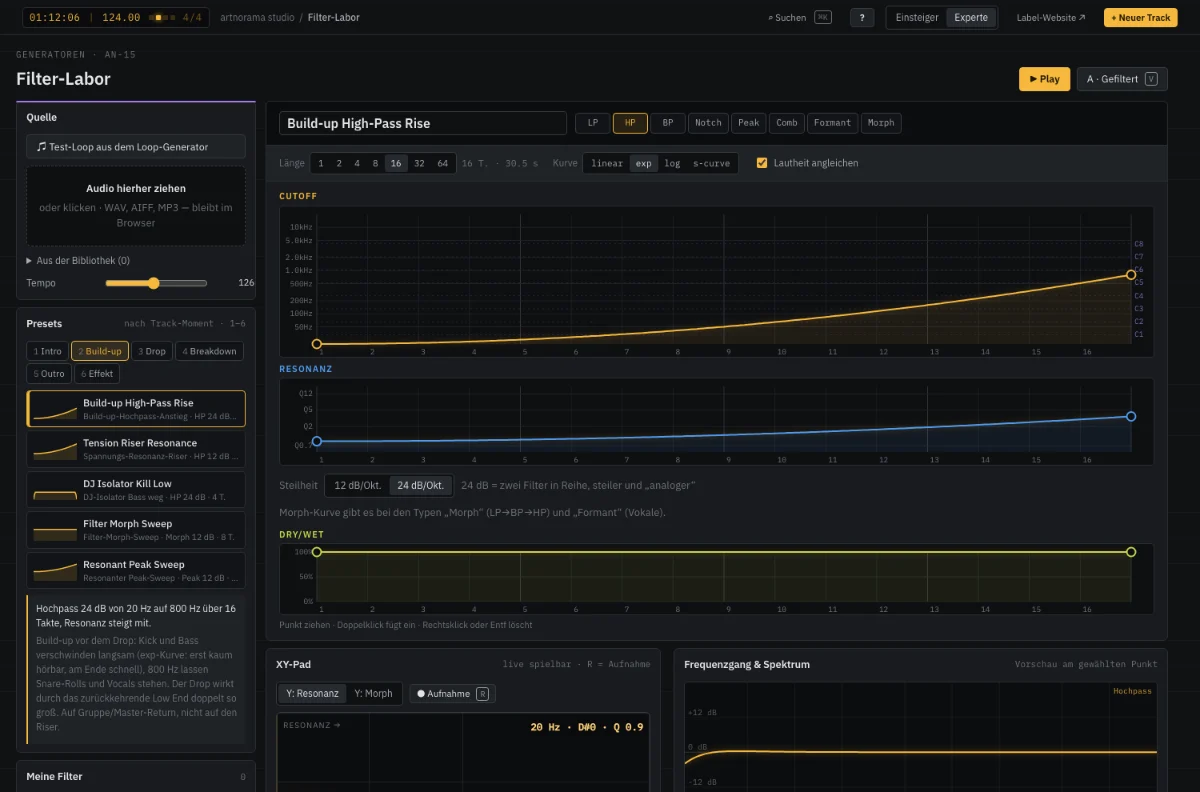
Try it yourself · AN-15
Drag the XY pad or start a template — the loop runs through a real filter.
Quick check
Which filter makes the bass disappear in the build-up?
Your progress is saved in this browser.