Filter Lab
The filter as an instrument.
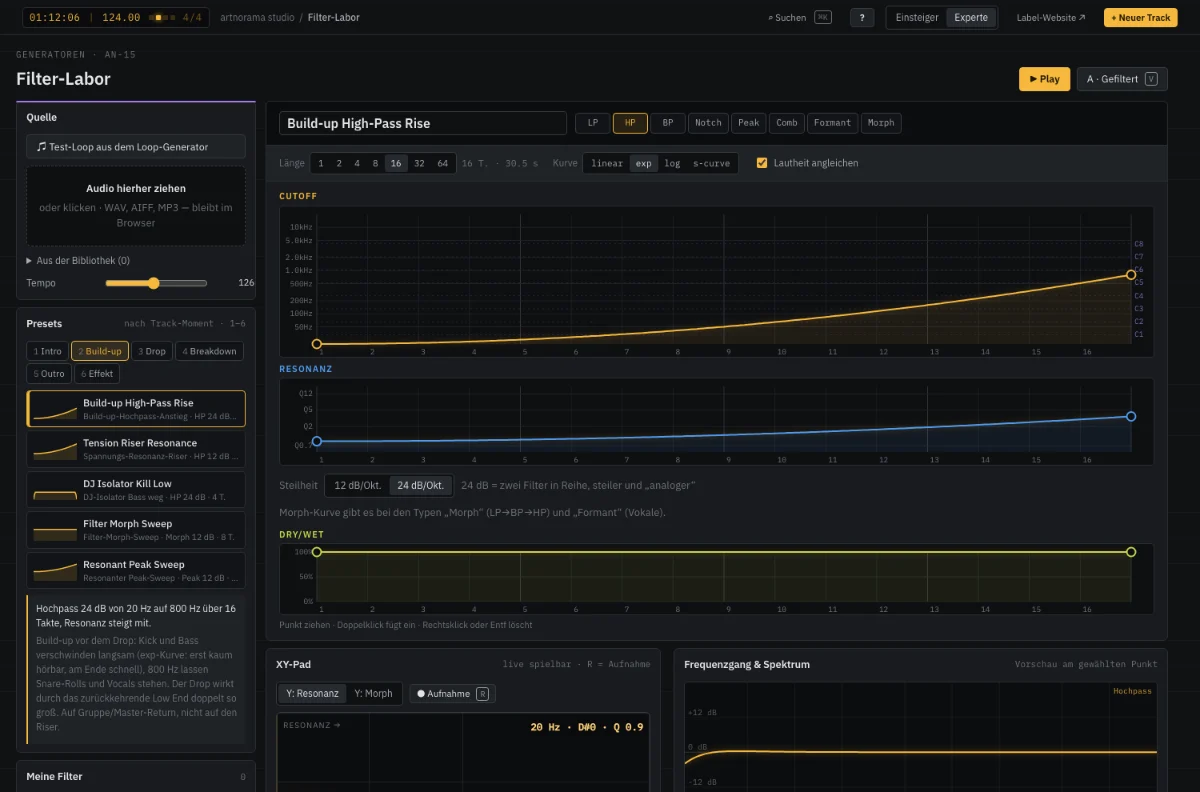
Hardly any tool shapes a track’s dramaturgy as strongly as a filter: the high-pass in the build-up, the low-pass that pushes the breakdown into the next room, the tear-open on the one of the drop. The Filter Lab makes filter moves visible and playable — as curves over time, live on the XY pad, with tempo-synced LFO and morphing between filter types. Collect your own moves in your filter library and place them in the Track Manager’s filter lane, where they move along with the phases.
How it works
- 01
Find a move
Pick a template for the track moment or play and record it on the XY pad.
- 02
Shape
Drag cutoff, resonance and morph as curves, set LFO and slope, listen on your own audio.
- 03
Place it in the track
Put it in the Track Manager’s filter lane — export as automation (MIDI CC) or a processed WAV.
Play the filter
Drag the XY pad or start a template — the loop runs through a real filter.
Features
- Low-pass, high-pass, band-pass, notch, peak, comb, formant and morph, 12 or 24 dB
- XY pad with recording: hand movements become curves
- Curve editor for cutoff, resonance and morph, tempo-synced LFO
- Templates by track moment: build-up, drop, breakdown, intro, outro, effects
- Your own filter library and a filter lane in the Track Manager
- Live frequency response, A/B comparison
Specifications
- Cutoff
- 20 Hz – 20 kHz, logarithmic
- Length
- 1–64 bars, fits to phases
- Export
- MIDI CC (e.g. CC74/CC71), WAV 48 kHz/32-bit float, text recipe
From the studio