Track Manager
From loop to story.
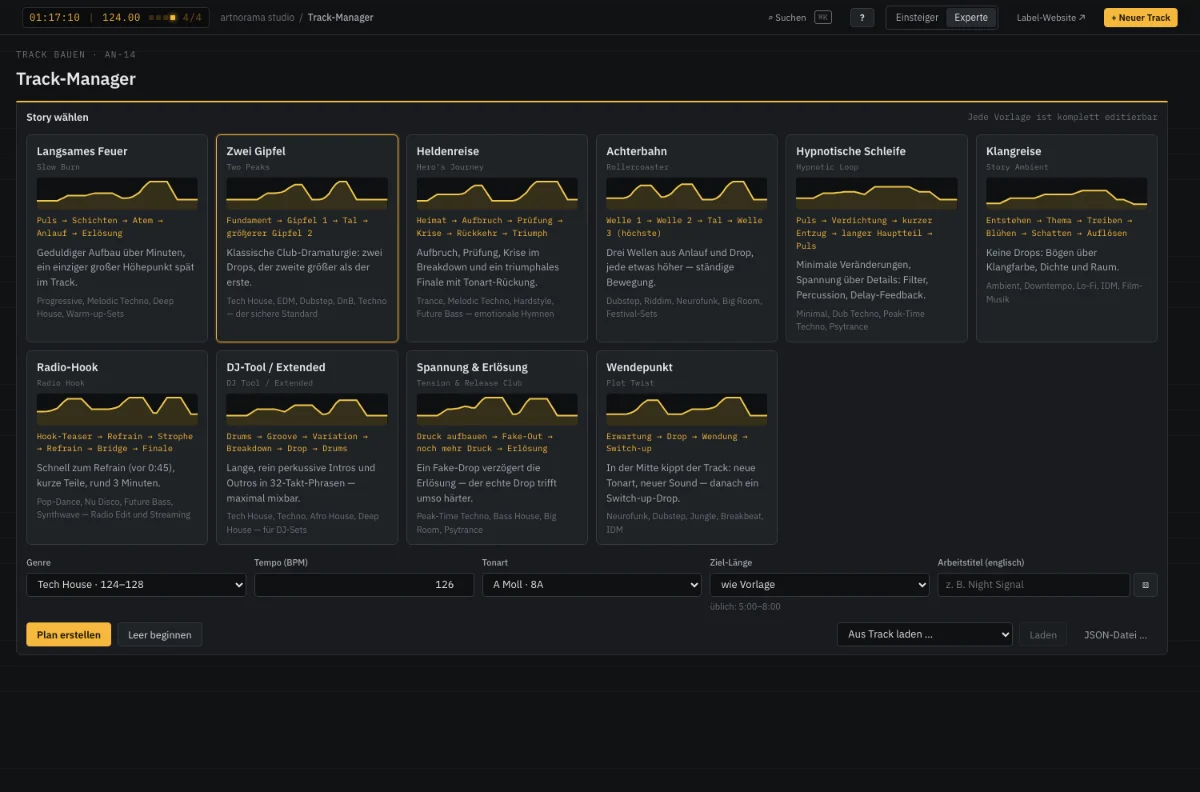
Most tracks do not fail on sound but because the loop never becomes a journey. The Track Manager plans your track as a tension arc: story templates such as Slow Burn, Two Peaks or Hero’s Journey provide a proven dramaturgy that you rebuild completely — move, lengthen and split phases, drag energy and tension with the mouse, choose transitions. From every phase you open the right devices directly, with the phase’s key, tempo and length. A coach checks grid, build-up and contrast live and explains why.
How it works
- 01
Choose a story
Story template, genre, tempo and target length — or map a reference track.
- 02
Shape the arc
Rebuild phases, drag energy and tension, set transitions, write story texts.
- 03
Build and take it with you
Fill every phase with the devices, hear a sketch, take it into the DAW as MIDI with markers.
Build your arc
Pick a template, drag points, rebuild phases, play the time-lapse.
Two drops, the second one bigger — the club classic. (House, Tech House, Techno)
„Arriving, the rhythm pulls you in“
✓ The arc holds up: grid, build-up and contrast are right.
In the app every phase opens the Loop Generator, Chord Lab, Bass and Melody Lab, Sound Factory and Mix Coach directly — with the phase’s key, tempo and length.
Features
- Ten story templates: Slow Burn, Two Peaks, Hero’s Journey, Rollercoaster, Hypnotic Loop, Radio Hook, Plot Twist …
- Timeline with drag and drop, lengths on the 8-bar grid, energy and tension curves to drag
- Element matrix and transitions: riser, fill, filter sweep, cut, impact, silence
- From every phase straight into the Loop Generator, Chord, Bass and Melody Lab, Sound Factory and Mix Coach
- Coach with over 20 rules, a score and learning tips, linked to the Track School
- Filter lane: filter moves from the Filter Lab placed precisely on the phases
- Reference mapping: the structure of a favourite track as your own template
Specifications
- Phases
- 4–64 bars, as many as you like
- Curves
- Energy, tension, density per phase
- Export
- MIDI with markers, text plan, track sheet, own templates
- Learning
- Track School with ten lessons
From the studio