AN-148 min read
Track Manager
Plan the whole track as a story: story templates, phases, tension arc, transitions — and every device straight from each phase.
The Track Manager is the heart of artnorama studio: this is where ideas become a track. You plan the PhraseA musical section, usually 8 or 16 bars. DJs mix in phrases — which is why sections start on multiples of 8.More in the handbook →, their length, their Energy curveHow intense a track is over time. Good tracks breathe: build, release, pull back.More in the handbook → and tension, and how they flow into each other. Every phase is also a task — one click opens the right device, preset with key, tempo and length.
Story templates
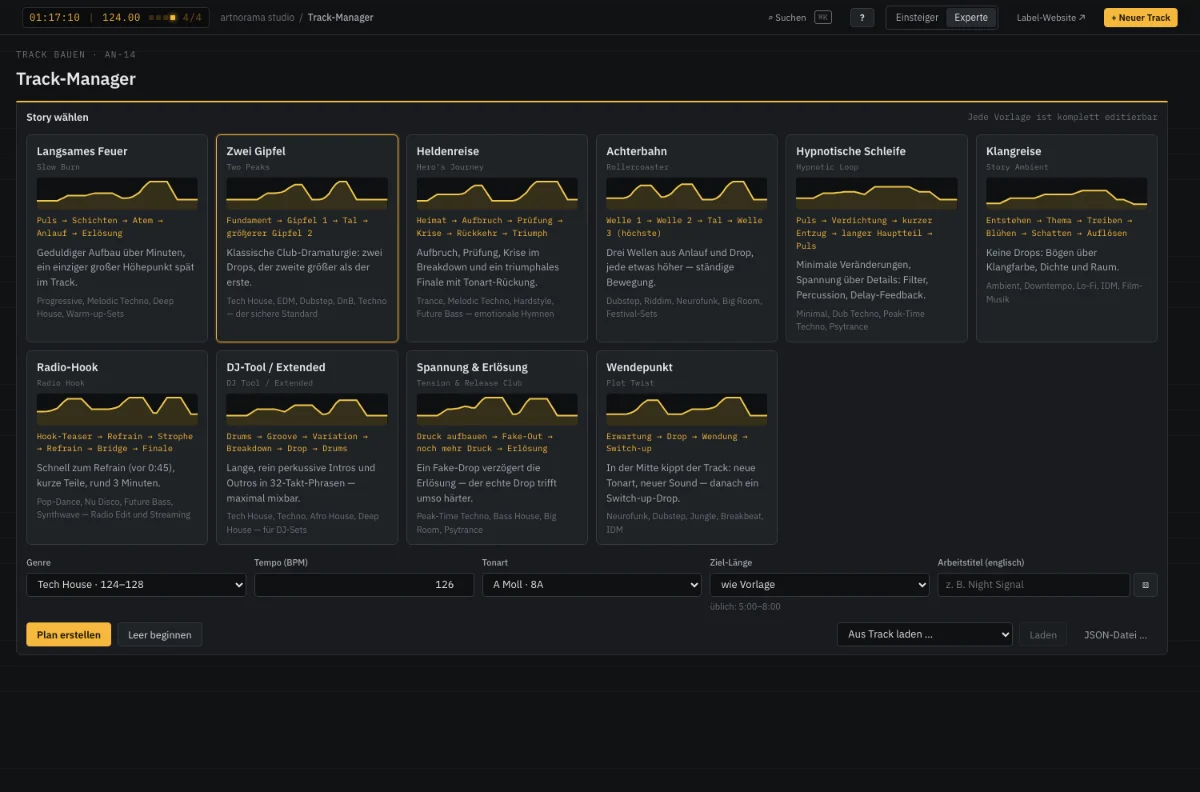
Every template is a proven tension arc with story texts per phase (“what should the listener feel here?”). It adapts to genre and tempo — and is only a beginning: everything can be changed. More in the lesson Telling stories.
The coach
- Phase off the 8-bar grid → DJ mixing gets hard.
- Drop without a build-up → tension is missing.
- Hardly any contrast before the peak → the drop feels small.
- Energy constant for a long time → attention drops.
- Intro too short for an extended mix, track unusually long for the genre.
- ←→
- Select a phase
- ⇧←→
- Move a phase
- +−
- Length ±4 bars (±8 with ⇧)
- ↑↓
- Energy ±5 % (tension with ⇧)
- D
- Duplicate phase
- E
- Split phase
- N
- New phase after
- Entf
- Delete phase
- Space
- Play/stop the sketch
- ⌘Z
- Undo (⇧⌘Z redo, up to 100 steps)
Filter lane
Below the element matrix sits the filter lane: filter moves from the Filter Lab on the plan’s bar axis. “✦ Place automatically” puts fitting moves at every phase (intro fade-in, build-up high-pass, breakdown low-pass, outro fade-out), “+ Preset” suggests moves for the selected phase. Dragging moves, the right edge stretches, a double-click opens the move in the Filter Lab — and “Back to the track” returns it to its place. On MIDI export the lane comes along as automation (CC74 cutoff, CC71 resonance).
Try it yourself · AN-14
Pick a template, drag points, rebuild phases, play the time-lapse.
Quick check
What is the tension curve for, as opposed to the energy curve?
Your progress is saved in this browser.